
What the write-up contains
- A transcript with speaker labels, so "who said we would ship Friday" has an answer.
- A summary that reads like minutes: what was discussed, what was decided, what is still open.
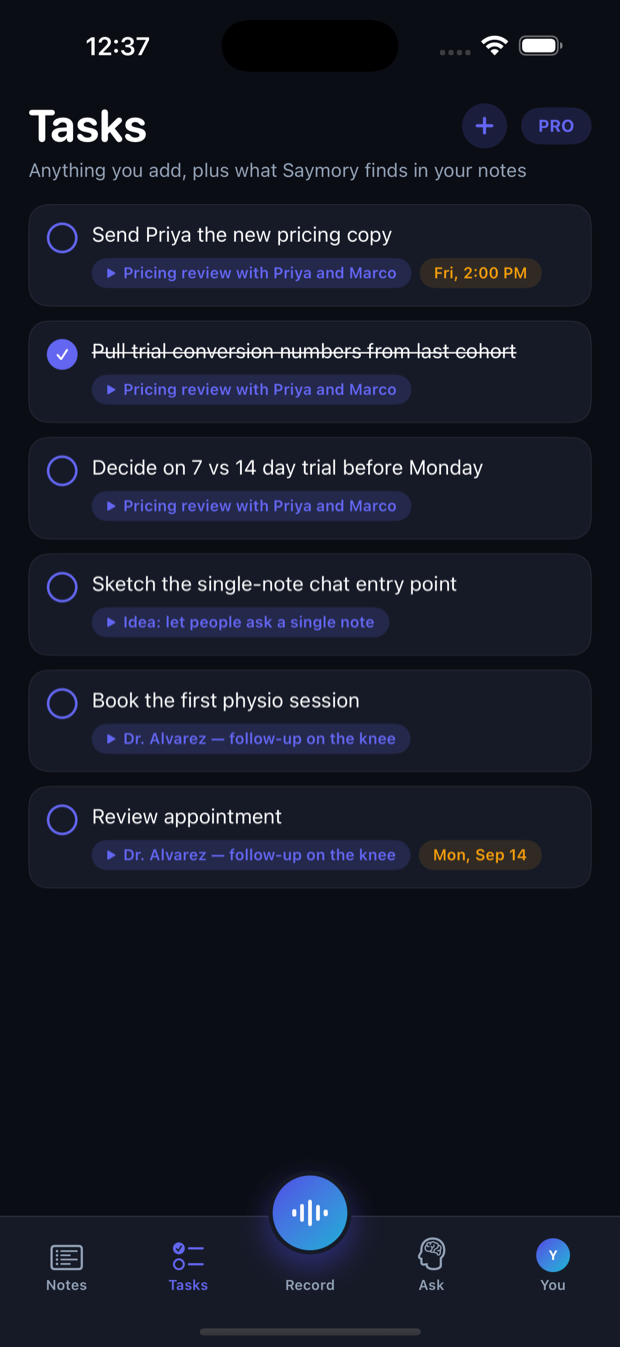
- Action items pulled out with their date, as tasks you can tick off — and be reminded of.
- A question box over every meeting you have recorded: "what did we agree about pricing in June" is answered from the June recording, with the passage it came from.
In the room or on a call
Put the phone on the table for an in-person meeting. For a call, take it on the phone or put the call on speaker next to it; recording keeps running while you switch to Zoom or Meet, and the screen can lock.
Choose Meeting mode when you start and the transcript separates the voices. Choose Voice for a quick debrief with yourself afterwards.
Where the recording goes
The audio is sent to a transcription provider only for as long as it takes to produce the text, and deleted there when it comes back. It is never stored on our servers and never used to train models. Your notes stay off the cloud entirely unless you turn backup on.
Sharing the minutes
Share a note with a colleague, or copy the summary into whatever the team already uses. Work meetings can live in their own memory, separate from everything personal, so a question asked at work is answered from work.
Tell people
Say you are recording at the start. Consent rules differ by country and some require everyone in the room to agree. It takes one sentence, and a meeting where everyone knows is a meeting where the notes can actually be used.
Questions people ask
Does it label who is speaking?
Yes, in Meeting mode. The transcript separates voices so the summary can say who committed to what. It does not need to be told names in advance.
Can it join a video call by itself?
No. Saymory records what the phone can hear — the room, or a call taken on the phone or played on speaker. There is no bot that joins the call, and nothing that needs the meeting organiser's permission to install.
How do action items work?
Anything someone promised is pulled out as a task, with its date where one was mentioned. Tasks sit in their own list across all your meetings, and you can add a reminder so the promise resurfaces before it is due.
Is it free?
Free to start. A new account gets welcome credits for transcription, summaries and questions. Pro continues from there. Everything you captured stays in the app if you stop paying, and can be exported at any time.